
Services
Build the plan. Run the plan.
A run sheet built during the week becomes the same plan you run when the service starts — with a real record of what actually happened.
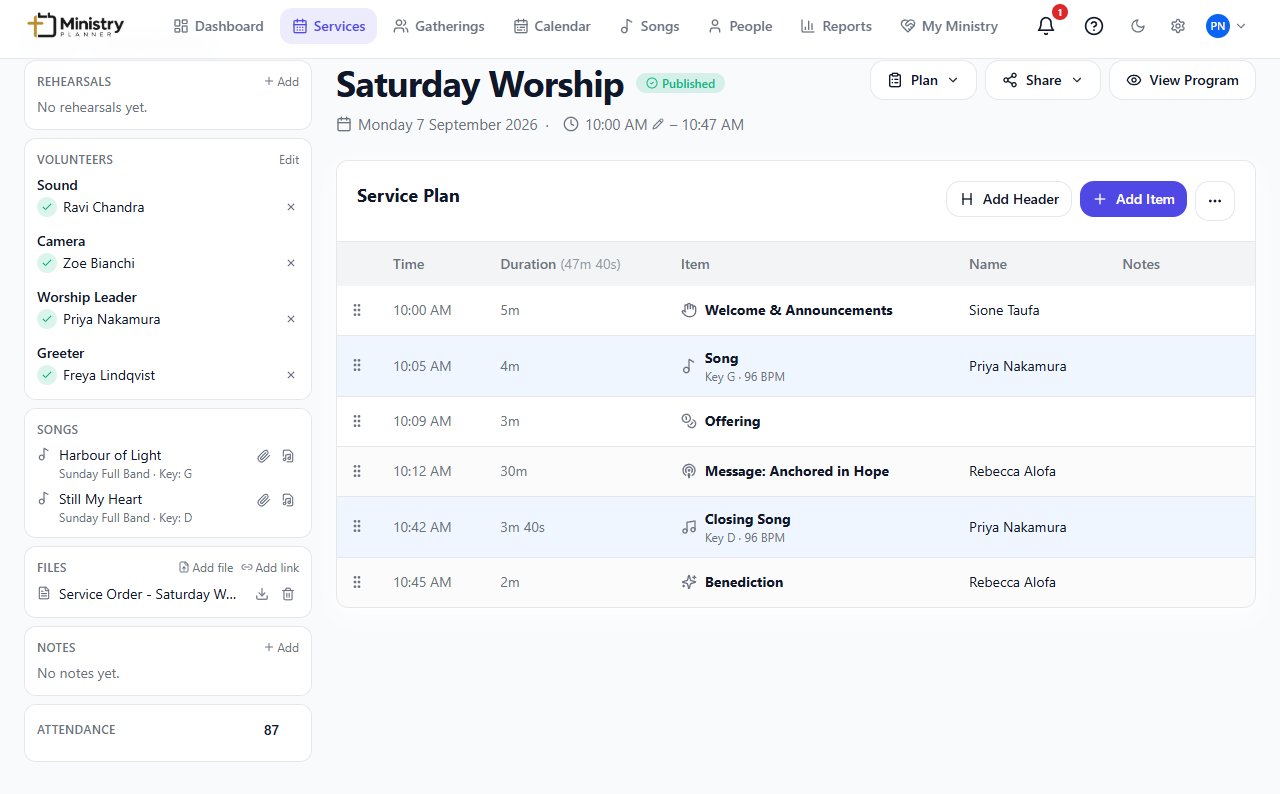
The plan usually lives in five places
A spreadsheet for the order of service. A text thread for who's doing what. A printed sheet for the sound tech. By Sunday morning, no two copies quite agree. Services keeps the order, the timing, the people, and the songs in one plan everyone actually looks at.
Plan → Assign → Prepare → Publish → Run
Plan
Build the run sheet — welcome, songs, sermon, and everything in between, in order.
Assign
Give each role to a person. They get a real invite, and can accept or decline.
Prepare
Attach files, links, and production notes to the exact item that needs them.
Publish
Make the plan visible to the team — and, if you choose, to a shareable link.
Run
On the day, run the plan live and keep a record of what actually happened.
What you can do
- Build a run sheet from welcome to benediction, with dedicated item types for songs, scripture, offering, and more.
- Reorder items by drag-and-drop, kept within pre-service, service, and post-service sections.
- Assign a role to a person — or a named fill-in — and get a real accept/decline back by email.
- Get notified automatically if someone declines, with a chance for them to suggest a replacement.
- Attach files and links to the exact run sheet item that needs them.
- Publish a service so the team — and, if shared, anyone with the link — can see the current plan.
- Run the service live: advance automatically on schedule, or take manual control, pause, skip, or go back.
- Keep a record of what actually happened — including anything skipped — separate from the original plan.
Related
- PeopleEveryone's contact details, ministry involvement, and availability.
- SongsOne song library, with keys, arrangements, and chord charts.
- TeamsDepartments, divisions, roles, and reusable serving teams.
- LiveRun a published service from a live control screen.
- Files & MediaAttach the files and links a plan actually needs, right where they're used.
- ReportsAttendance, songs, and volunteer load, without a spreadsheet.